
Technology guide · Support · Updated November 2026
Your whedo.it Support Portal
A guide for business owners and staff: what the whedo.it support portal does, how staff use it, what owners see, and how it connects to the rest of the whedo.it service.
1. One front door for support
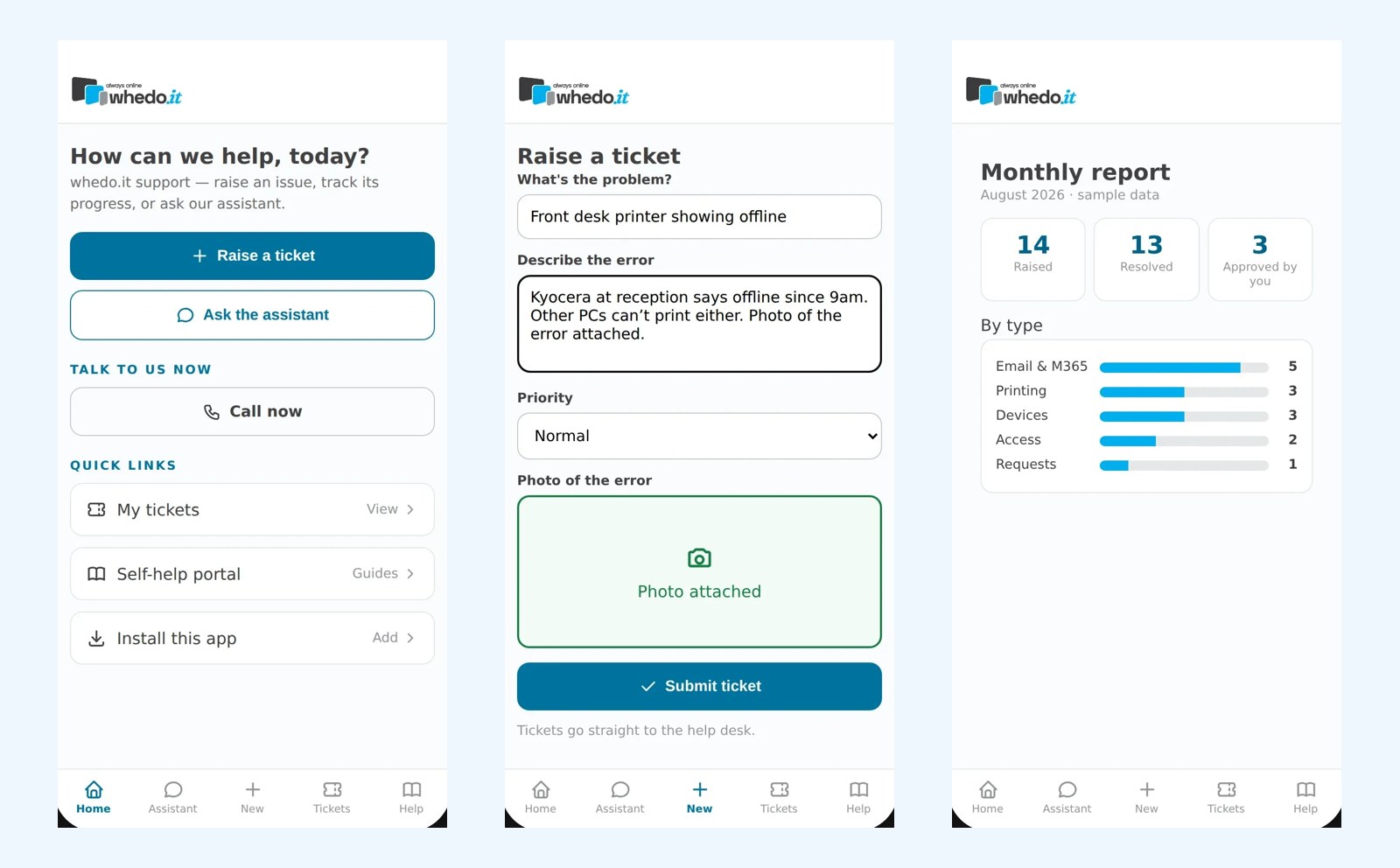
Every whedo.it client has its own support portal, branded to the business at its own web address (yourcompany.whedoit.support). Staff sign in with the Microsoft 365 account they already use. Tickets, self-help, the AI assistant, approvals and monthly reporting are all in one place.
2. For staff
| Task | How |
|---|---|
| Get help | Raise a ticket and attach photos of the problem; it goes to the engineer who knows your setup. |
| Track it | See the status of open tickets without chasing by email or phone. |
| Help yourself | Ask the AI assistant or follow a step-by-step self-help guide for common problems. |
| Urgent? | For a priority 1 issue (an outage, a security incident, being locked out), call: P1 response is inside 30 minutes in business hours. |
3. For owners and managers
| Feature | What you see |
|---|---|
| Approvals | Requests that need sign-off come to the right person. |
| Monthly reporting | What was done for your business each month. |
| Device baseline | How many of your devices meet the whedo.it baseline, checked nightly, and what's being fixed. |

4. How it fits the service
The portal is the front door; the service behind it is the same: an Australian help desk with named engineers, P1 response inside 30 minutes in business hours and inside one hour after hours, 24/7 monitoring, and the managed security and backup described in our other technology guides.
5. Common questions
Do staff need another password? No. They sign in with their Microsoft 365 account.
Can we still call? Yes. The portal is the easiest way to log and track a request, and the phone is always there for urgent issues.
DOWNLOAD THIS GUIDE
Take it with you, or share it with your team. Same content, A4 PDF.